Log in with Spotify first — you'll land straight in the lobby.
Spotify login
Spotiguessr plays music from the group's Spotify top tracks. Log in so your songs can join the pool.
Got friends the owner hasn't added? Host your own games — set up your own Spotify app once and invite them yourself. No developer knowledge needed.
Logged in
…
Your Spotify login can go stale during a long party (~1 h grants) — logging in again is always safe and never loses your lobby.
You're not on the list yet
Spotiguessr is a small friends-only game on Spotify's development platform, and no app in its fleet could log you in.
Ask the friend who invited you to add you to their Spotify app — or host your own. The guide walks you through your own app — no developer knowledge needed.
Changed your Spotify email lately? Ask the friend who invited you to add your new email to their app — your next login remembers it, and new devices find you again.
That login didn't complete — try again.
checking login…
logged in as … · log out
Play
Got a code from your host? Type it in. Lobbies are reachable only by their code.
Bring your own friends
Set up your own Spotify app once — then share your own entry code and your friends log in through it.
Takes about 10 minutes. You only do this once per app.
Your lobbies
no past lobbies yet
Step 1 of 5
What you need
Spotify Premium on YOUR account. Spotify requires it for the owner of a brand-new app. Your friends don't need Premium — free accounts play along just fine.
About 10 minutes. No coding, nothing to install — you'll fill in a short form on Spotify's site and copy two things we give you.
You do this once per app. After this, inviting friends is only about a code and a list of emails.
Create your app on Spotify's site
Spotify lets you make your own mini-app — that's what your friends will log in through.
Tap Create app.

Fill the form like this — then Save.
On Spotify's screen · the Create app form
App name *
App description *
Website (optional)
Redirect URIs *
tap Add — the address only counts once it's on the list. After Add it sits on the list as a saved row, Remove beside it:
Which API/SDKs are you planning to use?
The name can be anything you like — it just can't start with "Spot".
Spotify drops you on your new app's page.
Add yourself to your app's user list
Spotify does NOT put you on your own app's user list — even as its owner. Until you fix this, nobody can use your app, including you.
You're already on your app's page — Spotify took you here after Save.
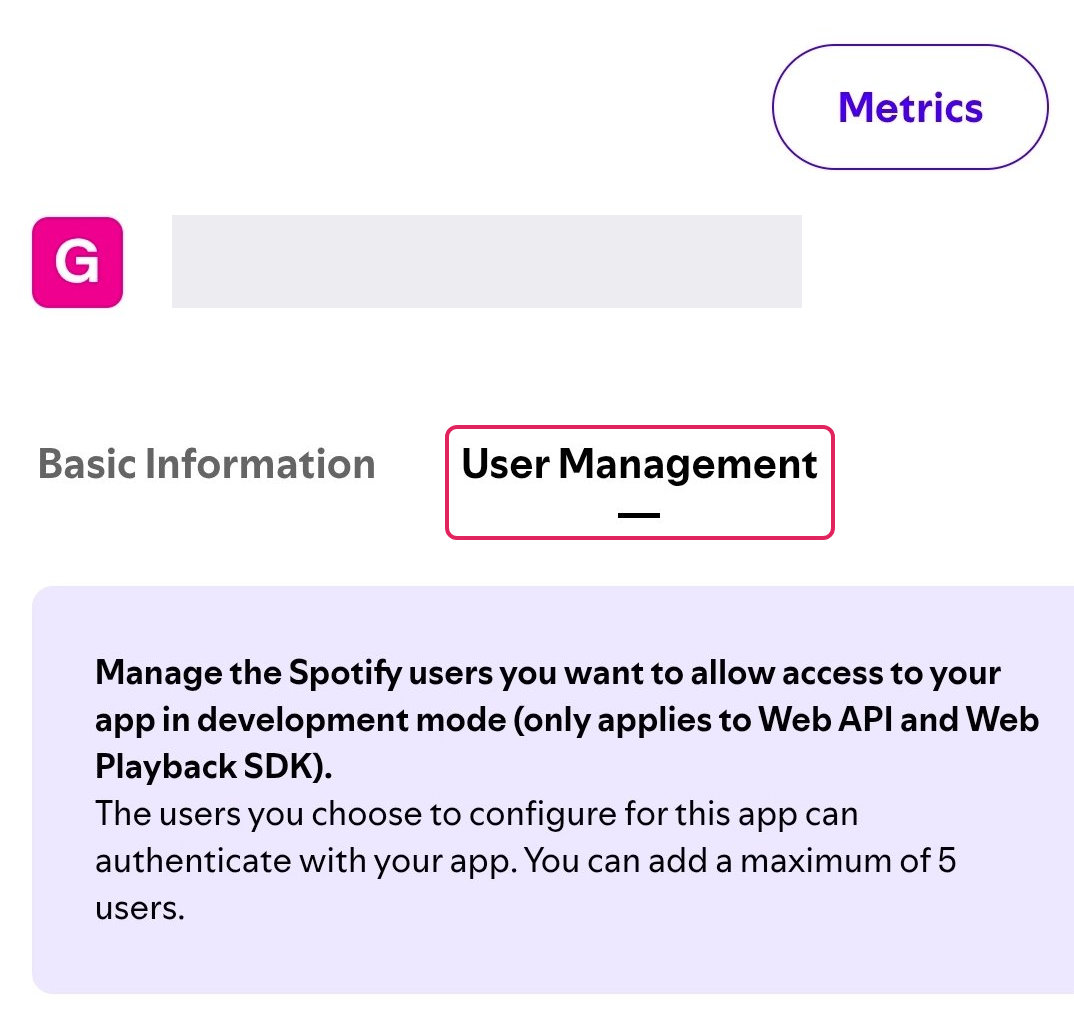
Tap the User Management tab.
Add yourself — your name and the email on your Spotify account.
On Spotify's screen · the Add user form
Full Name
You type these two yourself — your own name, and the email on your own Spotify account.
Once you're on the list, your own app can log you in. Your friends go on the same list later — the last screen shows you how.
Wandered off? Dashboard → tap your app.
Know the limits before you invite
A brand-new app holds at most 5 people on its user list — you included. So this app carries you plus a few friends.
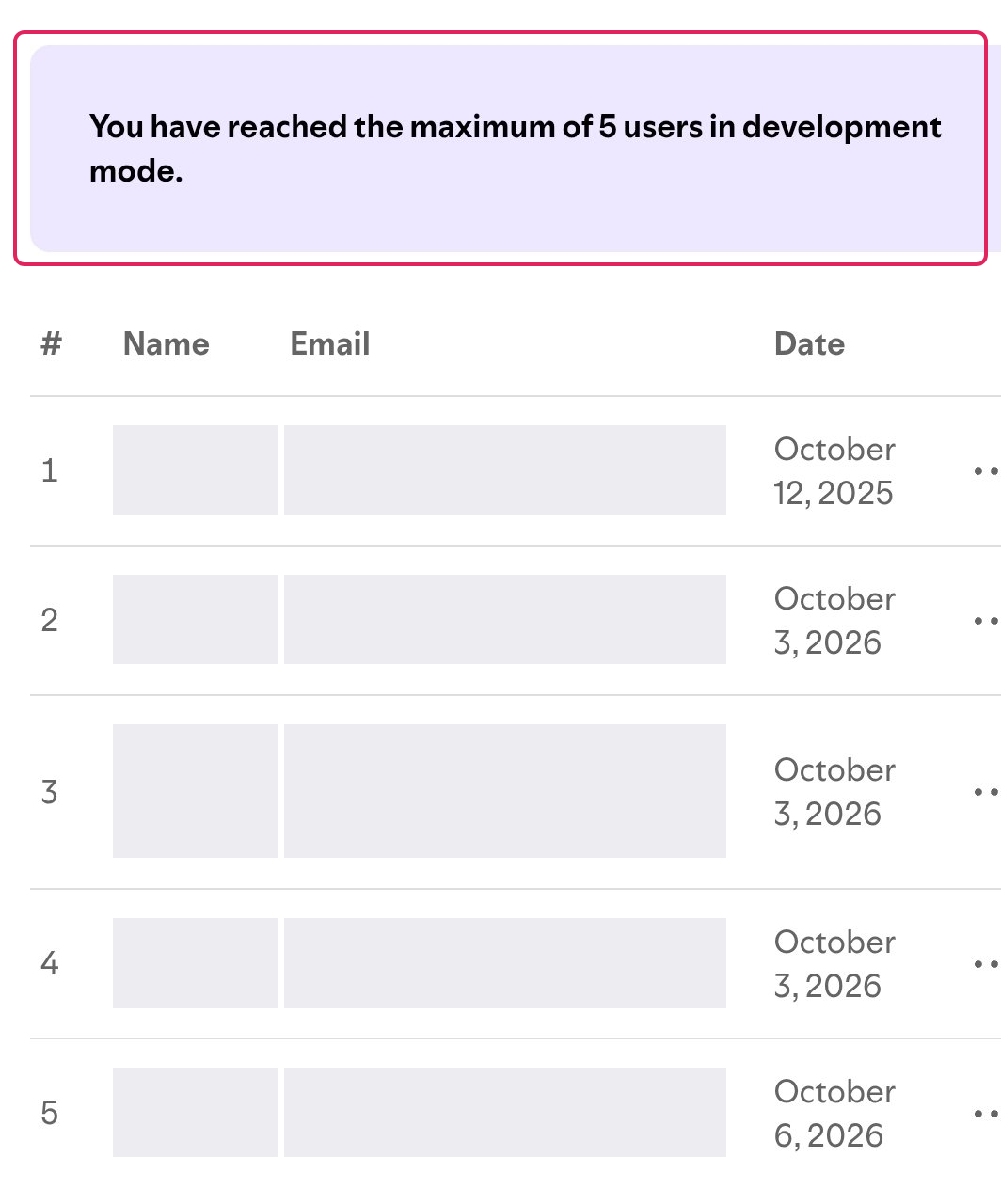
More friends than that? You can set up another app later — this guide is always there, and each app gets its own entry code.
Your friends never need Premium — only you, the app's owner, do.
Keep it alive
Keep playing! An app nobody uses for about three months can get switched off by Spotify. A busy party keeps it safe.
About every six months, Spotify expires the app's long-term login approval. When that happens everyone simply logs in again — one tap, no code needed: the game remembers them and takes them straight through your app.
Nothing here needs finishing before you continue — the next step checks your app for real, and misses get fixed with one tap.
Connect your app
Your app has a Client ID — a short line of letters and numbers that says "this is my app". It lives on your app's page, under its first tab.
Open your app's page in your dashboard tab.
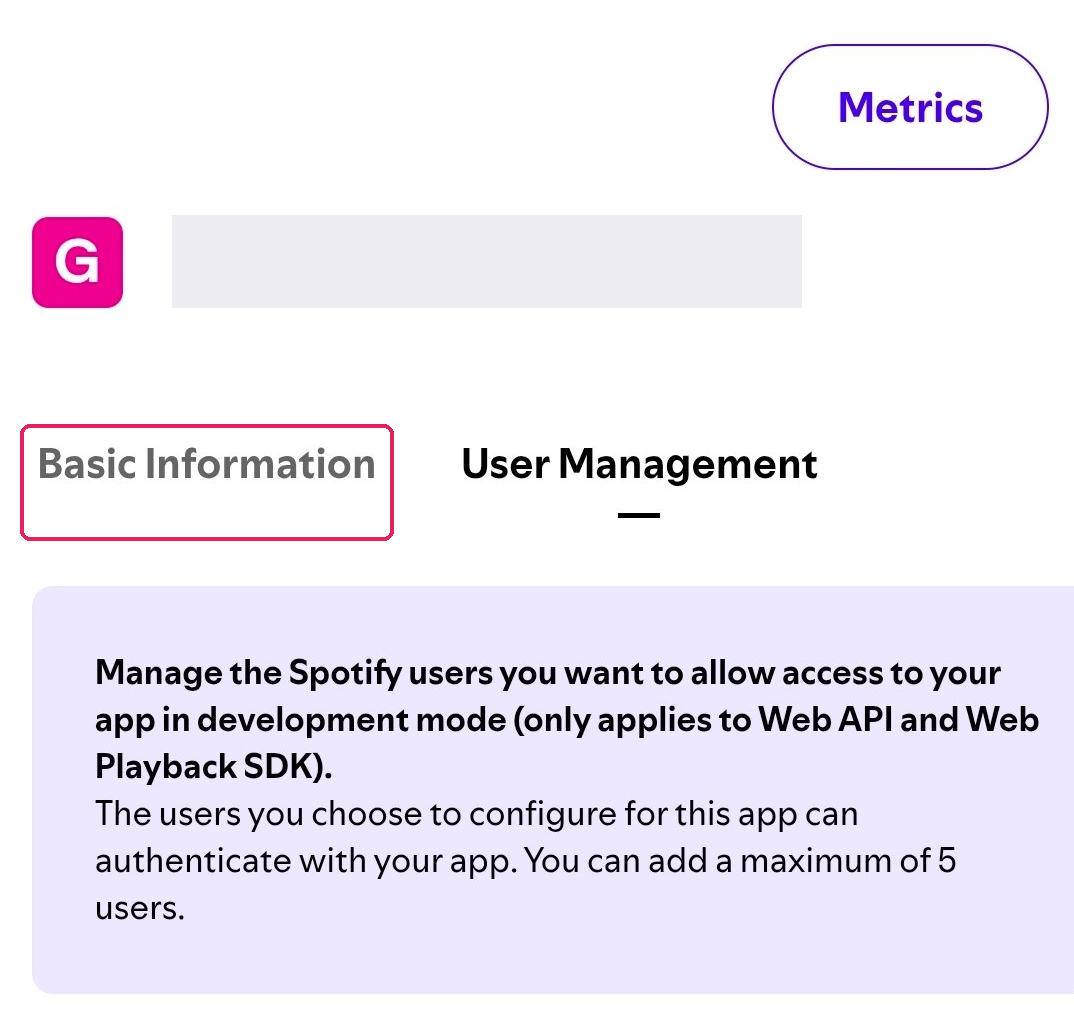
Tap the Basic Information tab.
You're on User Management after the last step — this switches you back.
Copy the Client ID — all of it, no spaces.
On Spotify's screen · your app's page — Basic Information
Client ID
Paste it below.
That doesn't look like a whole Client ID — check you copied all of it, with no extra spaces.
We never ask for your Client Secret — if anything ever asks for it for this game, stop.
Connecting your app…
Reading your Client ID
Opening Spotify through your app
Waiting for you to approve the login — Spotify asks, you tap accept
Checking your app works end to end
This check is your first login. Approving it logs you into the game through your own new app — no separate login step afterwards.
Your app is fine and the Client ID is right. Spotify just says your account isn't on your app's user list yet.
Go back to your dashboard tab.
Tap your app.
Tap the User Management tab.
Add yourself — your name + the email on your Spotify account.
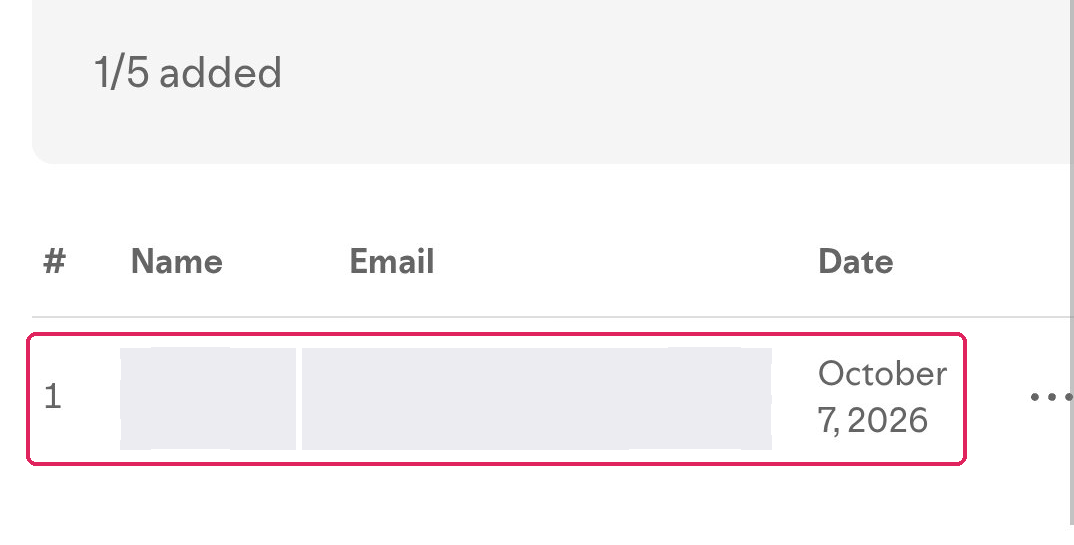
Nothing is broken — your game account is untouched, and your app itself already passed the check.
The Client ID we got doesn't match an app Spotify knows. Usually it's a copy-paste slip — a missing character or an extra space.
Open your app's page.
Tap the Basic Information tab.
Copy the Client ID again — all of it, no spaces.
On Spotify's screen · your app's page — Basic Information
Client ID
Not the "Client Secret" next to it — we never need that.
Nothing is broken — your game account is untouched, and you can retrace the guide any time.
The check didn't finish this time. These hiccups usually clear by themselves.
Your app registration is kept — trying again needs no fresh setup.
Without the approval the app can't be checked, so nothing was registered. Nothing failed on Spotify's side either.
Whenever you're ready — the guide stays where it was.
Spotify approved the check — you're logged in through your own app now, and it's part of the game.
Your entry code
…
5 characters — this is the door to your app.
We couldn't load your entry code — open Home and run the wizard again.
Your friends type it once on the login page. After that the game remembers them — their next login goes straight through your app, no code.
Invite your friends
Send them this, in your own words:
Or just send your link — it carries the code by itself, no typing:
The share carries the code itself — one tap on their side, no typing.
One last thing on Spotify's side: add your friends
Open your app's page.
Tap the User Management tab.
Add each friend — their name + the email on their Spotify account.
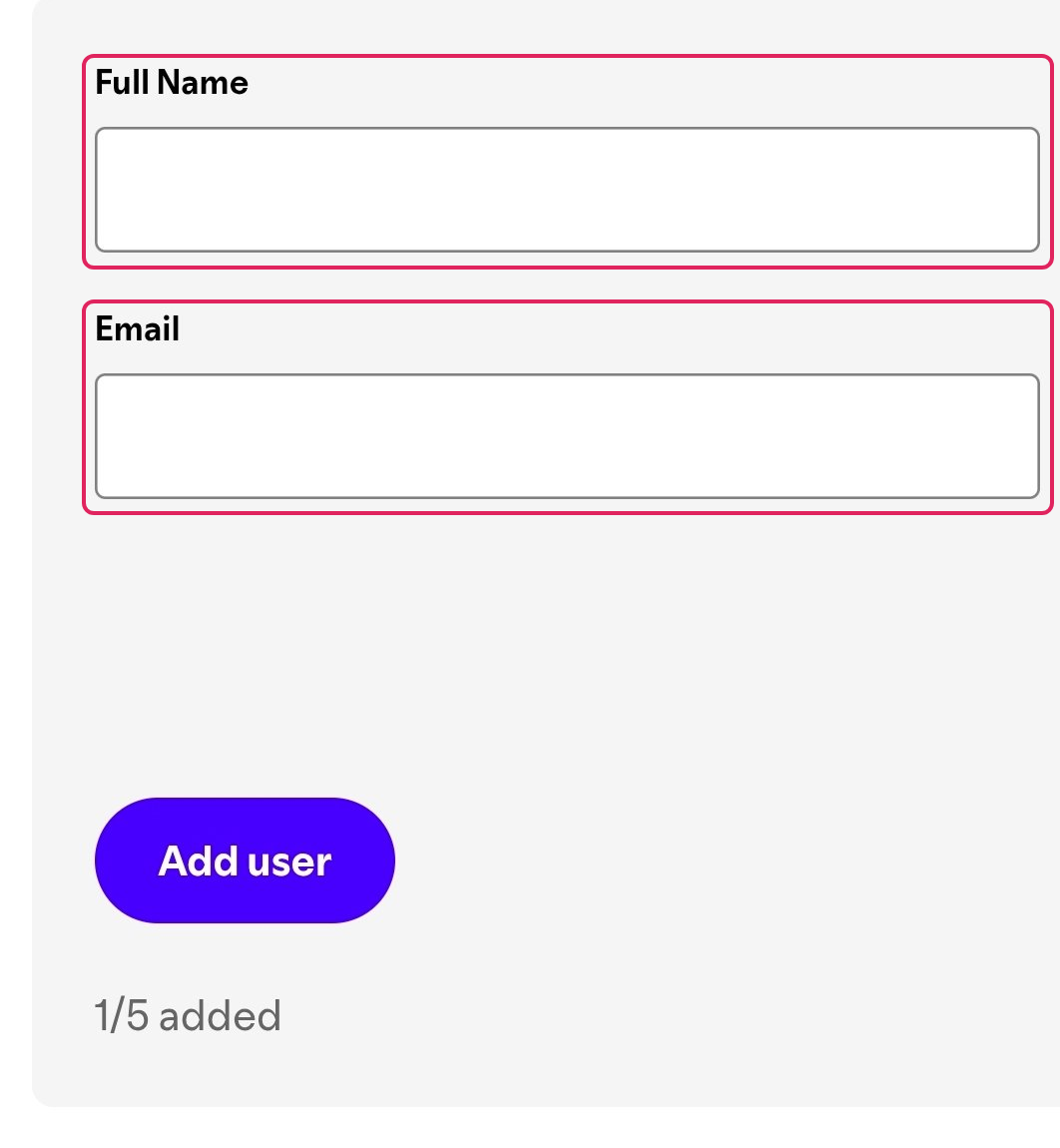
On Spotify's screen · the Add user form
Full Name
It must be the email their Spotify account actually uses.
The list holds 5 people in total — you're one. Need more seats? Set up another app from Home whenever; each gets its own code.
Someone who isn't on the list yet will see a friendly note instead of a login: ask the friend who invited you to add you to their Spotify app — or host your own. That's Spotify's rule — once you add them, they're in.
Keep it alive: keep playing — an app unused for about three months can get switched off, and Spotify expires the app's login approval about every six months (everyone just logs in again).
The lobby re-opened when the last one ended. Players can join or leave until you start again.
Join lobby
…
lobby
…
scan to join · one link for every app
Your songs are already in the pool — there's nothing to tap here.
players
game setup
game start
…
building the song pool…
before the first turn
the host left
…
turn 1
…
Skip — whose turn comes next?
The music device is lost or restricted — the game is paused. Pick a speaker: the song replays from the start, nothing is wasted.
auto playback
Game time
Everything happens on the host's phone — that's the shared board. Look there for the card, the scoreboard, and whose turn it is. Your Spotify login already did its part: your songs are in the deck.
A song is playing — guess!
…
Just listen — the app keeps the music going. No scores in this mode.
game over
…
This lobby has closed. Everyone left — the lobby is gone. Host a new one to play again.